Turn YouTube into your notebook.
Add custom chapters, highlight sections, and take rich, timestamped notes on any video — organized into folders. For studying, research, content, or anything worth keeping track of.
Free to start — no credit card needed.
See it in action
Highlight a section, write a rich note, file it into a folder — right on the player.
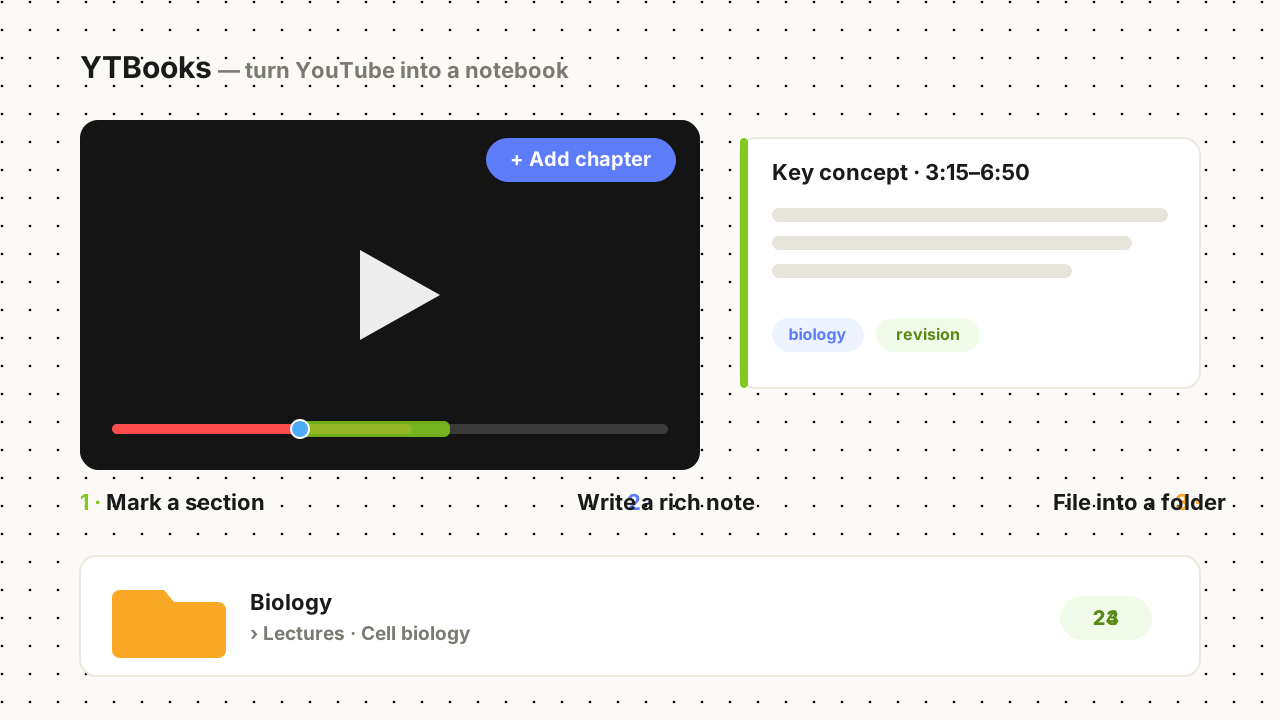
Everything you need to capture what you watch
Chapters & sections
Mark any moment, or highlight a whole range as a section — straight from the player.
Rich notes
Write formatted notes (headings, bold, lists) on each section or as standalone notes.
Nested folders
Organize chapters from many videos into nested folders — like Research › Interviews or Biology › Lectures.
Drag to reorder
Arrange chapters, videos, and folders by your revision sequence — not just timeline.
Sync everywhere
Premium syncs and backs up to the cloud, restored on any device you sign in to.
Private by design
We never sell your data, analytics are content-free, and you can export or delete everything anytime.
Not a notepad — a knowledge base
Other tools give you notes on a single video. YTBooks organizes chapters and notes from every video on a topic into one nested tree of study folders. One subject, every source, one place.
vs. a flat notes extension
They're a notepad for one video. YTBooks organizes across videos — nested folders, highlighted sections (ranges, not just points), and cloud sync. A library, not a sticky note.
vs. an AI summarizer
Auto-summaries give you the AI's understanding, not yours. YTBooks keeps your notes intentional — then exports them to NotebookLM or Notion so you run AI on your terms.
vs. Notion + manual timestamps
Copy-pasting timestamps is tedious and they don't jump back. YTBooks adds chapters in the player, and every timestamp is one click from the exact moment.
vs. browser bookmarks
Bookmarks have no timestamps, notes, or structure. YTBooks gives you timestamped chapters, rich notes, and folders you can reorder by how you study.
Three steps
Add chapters
Hit the button on the player to mark a moment or a section.
Take notes
Write formatted notes and tag them, all beside the video.
Organize & revisit
Group across videos into folders and reorder them however you work.
What is YTBooks?
YTBooks (also written “YT Books”) is a free Chrome extension for taking notes on YouTube videos. It lets you bookmark timestamps as custom chapters, highlight whole sections of the timeline, and write rich, formatted notes — then organize everything from every video into nested folders, so your knowledge builds up in one place instead of being scattered across playlists and bookmarks.
Students use it to study from lectures, researchers to annotate interviews and talks, and creators to catalog reference footage. See how to take notes on YouTube with YTBooks, check the free and premium plans, or browse the FAQ.